
9 Best Indoor Security Cameras for Home in 2026

Choosing the best indoor security cameras for home starts with the view you need: a fixed angle for simple monitoring, or pan-tilt coverage for a whole room. It also helps to compare video quality, night vision, storage options, and smart-home support so the camera fits the way you already use your space.
If you want a quick buying shortcut, focus on resolution, motion alerts, two-way audio, and whether you prefer local storage or cloud features. For broader home setup tips, you may also find our lighting guides useful, like brighter room basics and cozier bulb options.
Our Top Picks
- Best Overall eufy Security 4K Indoor Cam S350
- Top Pick eufy Security 4K Indoor Camera E30
- Best for Multi-Pack Tapo 2K Pan Tilt Camera
- Best for Privacy Ring Indoor Cam
- Best for Pan-Tilt Ring Pan-Tilt Indoor Cam
- Best Smart Home Google Nest Cam Indoor
- Best for Basics Kasa 1080p Pan/Tilt Camera
- Best Compact Blink Mini 2K+ Cameras
- Also Great Anona 4K UHD Indoor Camera
Quick Comparison
| # | Product | Best for | Color Temp | Amazon |
|---|---|---|---|---|
| 1 |  Best Overall eufy Security 4K Indoor Cam S350 |
Full-room 4K monitoring with dual cameras | 4K UHD | Check on Amazon |
| 2 | 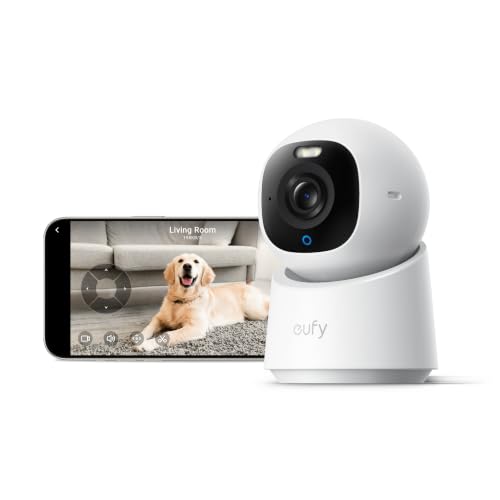 Top Pick eufy Security 4K Indoor Camera E30 |
24/7 recording with AI tracking | 4K | Check on Amazon |
| 3 |  Best for Multi-Pack Tapo 2K Pan Tilt Camera |
Whole-home coverage with two cameras | 2K HD | Check on Amazon |
| 4 |  Best for Privacy Ring Indoor Cam |
Simple indoor monitoring with privacy cover | — | Check on Amazon |
| 5 | 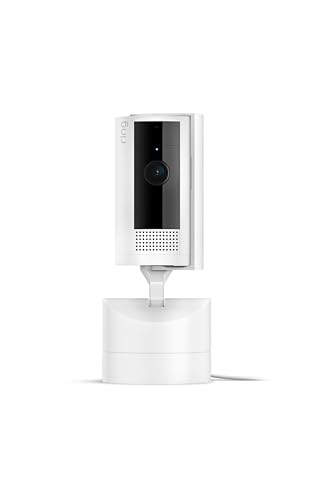 Best for Pan-Tilt Ring Pan-Tilt Indoor Cam |
360-degree viewing from your phone | HD video | Check on Amazon |
| 6 | 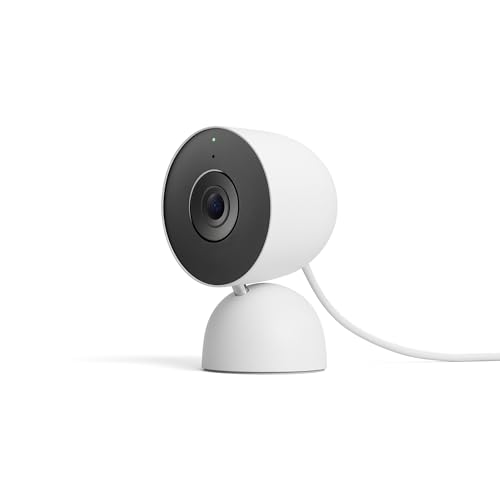 Best Smart Home Google Nest Cam Indoor |
Google Home users wanting 2K indoor security | 2K HDR | Check on Amazon |
| 7 |  Best for Basics Kasa 1080p Pan/Tilt Camera |
Subscription-free local storage and motion tracking | — | Check on Amazon |
| 8 |  Best Compact Blink Mini 2K+ Cameras |
Plug-in 2K monitoring in small spaces | 2K video | Check on Amazon |
| 9 | 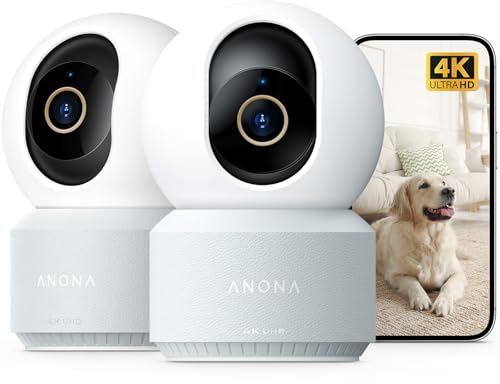 Also Great Anona 4K UHD Indoor Camera |
Dual-camera 4K monitoring with Wi-Fi 6 | 4K UHD | Check on Amazon |
How We Chose
We compared the cameras by the features that matter most for indoor monitoring: video resolution, field of view, night vision, motion detection, audio, and storage options. We also looked at smart-home compatibility and special features such as pan-tilt control, auto-tracking, and privacy tools to help narrow the best fit for different rooms and routines. For a general security-camera checklist, this outside guide is a useful reference: home camera basics.
1. eufy Security 4K Indoor Cam S350
Best for: Full-room 4K monitoring with dual cameras
This dual-camera indoor model combines a full-room view with a close-up lens, so you can watch the whole space and zoom in on details on one screen. It adds 8× hybrid zoom, 360° coverage, auto-tracking, human/pet/cry detection, local SD storage, and infrared night vision up to 32 ft.
It offers the broadest mix of detail, coverage, and privacy-focused storage in one camera.
Key features
- Dual-lens 4K view
- 8× hybrid zoom
- 360° coverage with auto-tracking
- Human, pet, and cry detection
- Local SD storage and privacy mode
Pros and Cons
Pros
- Shows a wide view and a close-up at the same time
- Uses 8× hybrid zoom for fine detail
- Tracks moving people and pets automatically
- Works with 2.4/5 GHz Wi-Fi
Cons
- SD card is not included
- HomeKit is not supported
- Works with HomeBase 3 only, not HomeBase 2
2. eufy Security 4K Indoor Camera E30
Best for: 24/7 recording with AI tracking
This wired indoor camera records in 4K and supports 24/7 recording, making it a strong fit for continuous room monitoring. It also adds pan-tilt viewing, AI detection for humans, pets, audio cues, and crying sounds, plus color night vision with a built-in spotlight.
It stands out for always-on recording and flexible viewing in one compact camera.
Key features
- 4K recording
- 24/7 recording
- 360° panoramic view
- AI detection and auto-tracking
- Color night vision with spotlight
Pros and Cons
Pros
- Records continuously around the clock
- Pans and tilts for a wide indoor view
- Detects humans, pets, audio cues, and crying sounds
- Switches between color and infrared night vision
Cons
- HomeKit supports up to 1080P resolution
- SD card is sold separately
- Some premium features may require a subscription
3. Tapo 2K Pan Tilt Camera
Best for: Whole-home coverage with two cameras
This two-pack gives you two indoor cameras for broader home coverage, with 2K video and a pan/tilt view that reaches 360° horizontally and 114° vertically. It also includes motion, person, and baby crying detection, plus local microSD storage or cloud storage through Tapo Care.
It is a practical multi-camera choice for covering more than one room or zone.
Key features
- 2K high-definition video
- 360° horizontal pan
- 114° vertical tilt
- Motion, person, and crying detection
- Local or cloud storage
Pros and Cons
Pros
- Two cameras cover more than one area
- Pan/tilt motion helps reduce blind spots
- Supports up to 512 GB microSD storage
- Works with Alexa and Google Assistant
Cons
- MicroSD card is not included
- Cloud features require Tapo Care
- Uses 2.4 GHz Wi-Fi only
4. Ring Indoor Cam
Best for: Simple indoor monitoring with privacy cover
This plug-in indoor camera delivers 1080p HD video with Live View, Color Night Vision, and a manual Privacy Cover. It also offers motion alerts, flexible placement, and Alexa support for voice-based monitoring.
It is a straightforward pick for people who want simple indoor monitoring with an easy privacy control.
Key features
- 1080p HD video
- Color Night Vision
- Manual Privacy Cover
- Motion alerts with Live View
- Flexible plug-in mounting
Pros and Cons
Pros
- Lets you turn off the camera and mic with the privacy cover
- Plugs in for easy placement and moving
- Works with Alexa for alerts and live video
- Includes color night vision
Cons
- Advanced features require a Ring Protect subscription
- Only one camera is included
- Uses a wired power setup
5. Ring Pan-Tilt Indoor Cam
Best for: 360-degree viewing from your phone
This indoor camera gives you 360° pan coverage and tilt control from the Ring app, so you can follow activity across a room. It also includes HD video, color night vision, Live View, Two-Way Talk, and Alexa compatibility.
It is a strong fit when you want to aim the camera from your phone instead of choosing one fixed angle.
Key features
- 360° pan coverage
- Tilt control in app
- Two-Way Talk
- Color night vision
- Plug-and-place design
Pros and Cons
Pros
- Lets you move the view from your phone
- Covers a room with pan and tilt control
- Supports Live View and Two-Way Talk
- Includes color night vision
Cons
- Advanced features require a Ring Protect subscription
- Only one camera is included
- Uses a plug-in power setup
6. Google Nest Cam Indoor
Best for: Google Home users wanting 2K indoor security
This wired indoor camera records in 2K HDR and is built for Google Home users who want smart alerts and a clean app experience. It adds motion detection, color night vision, two-way audio, encrypted video, and Gemini-based features with a premium subscription.
It is the best match for homes already centered on Google smart-home tools.
Key features
- 2K HDR video
- Motion detection
- Color night vision
- Two-way audio
- Works with Google Home and Gemini
Pros and Cons
Pros
- Gives sharper 2K HDR video
- Includes color night vision for low light
- Works with Google Home and Gemini
- Uses encrypted video and two-step verification
Cons
- Gemini features require a Google Home Premium subscription
- Only one camera is included
- Wired design stays in one place
7. Kasa 1080p Pan/Tilt Camera
Best for: Subscription-free local storage and motion tracking
This wired indoor camera combines 1080p video with 360° horizontal pan and 113° vertical tilt for broad room coverage. It also includes motion tracking, baby crying detection, two-way audio, night vision up to 30 ft, and local or cloud storage options.
It covers the basics well and adds helpful tracking features for everyday indoor monitoring.
Key features
- 1080p Full HD video
- 360° horizontal pan
- 113° vertical tilt
- Motion tracking and alerts
- Night vision up to 30 ft
Pros and Cons
Pros
- Covers a room with pan/tilt movement
- Tracks moving people or objects automatically
- Includes two-way audio
- Supports local microSD storage up to 256 GB
Cons
- Uses 2.4 GHz Wi-Fi only
- microSD card is not included
- Cloud features are optional extras
8. Blink Mini 2K+ Cameras
Best for: Plug-in 2K monitoring in small spaces
This two-camera bundle uses a compact plug-in design and delivers 2K video with up to 4× zoom. It also includes improved audio with noise cancellation, motion detection, optional smart detection through a subscription, and Alexa support.
It is a compact two-pack for smaller rooms or people who want quick plug-in setup.
Key features
- Two-camera bundle
- 2K video resolution
- Up to 4× zoom
- Noise-canceling audio
- Plug-in design
Pros and Cons
Pros
- Includes two cameras in one package
- Small plug-in design fits tight spaces
- Offers 2K video with up to 4× zoom
- Supports Alexa integration
Cons
- Person and vehicle detection require a subscription
- Weather-resistant power adapter is sold separately
- Cloud clip storage uses a subscription plan
9. Anona 4K UHD Indoor Camera
Best for: Dual-camera 4K monitoring with Wi-Fi 6
This two-camera pack pairs 4K UHD video with 8× zoom, 360° pan, and auto-tracking for broad indoor coverage. It also supports person, pet, and crying detection, dual-band Wi-Fi 6, and both local and cloud storage choices.
It is a feature-rich two-pack for users who want high resolution and modern wireless support.
Key features
- 4K UHD video
- 8× zoom
- 360° pan and tilt
- Wi-Fi 6 dual-band support
- Local or cloud storage
Pros and Cons
Pros
- Covers a room with 360° pan and tilt
- Uses 4K video with 8× zoom
- Detects people, pets, and baby crying
- Supports 2.4 GHz and 5 GHz Wi-Fi
Cons
- MicroSD card is not included
- Cloud storage is optional
- Two-camera pack may be more than some rooms need
Which One Should You Choose?
- Full-room 4K monitoring with dual cameras: eufy Security 4K Indoor Cam S350
- 24/7 recording with AI tracking: eufy Security 4K Indoor Camera E30
- Whole-home coverage with two cameras: Tapo 2K Pan Tilt Camera
- Simple indoor monitoring with privacy cover: Ring Indoor Cam
- 360-degree viewing from your phone: Ring Pan-Tilt Indoor Cam
- Google Home users wanting 2K indoor security: Google Nest Cam Indoor
- Subscription-free local storage and motion tracking: Kasa 1080p Pan/Tilt Camera
- Plug-in 2K monitoring in small spaces: Blink Mini 2K+ Cameras
- Dual-camera 4K monitoring with Wi-Fi 6: Anona 4K UHD Indoor Camera
Buying Guide: What to Look For
Start with video clarity
For indoor cameras, resolution affects how well you can identify faces, objects, and movement. 1080p is the basic baseline, while 2K and 4K give you more detail if you want to zoom in later or cover a larger room. If you need a broader overview, a higher-resolution camera usually gives you more useful footage.
Decide between fixed view and pan-tilt
A fixed camera works well for a doorway, nursery corner, or a single hallway. Pan-tilt models are better when you want to follow movement or cover a full room from one spot. If you do not want blind spots, look for wide pan and tilt ranges or auto-tracking.
Check night vision and alerts
Night vision matters if you want clear footage after dark or in dim rooms. Motion alerts are useful, but smarter detection for people, pets, or crying can help reduce unnecessary notifications. For a general checklist of camera features, this home security guide is a useful overview.
Choose storage that fits your routine
Some cameras save clips locally with a microSD card, while others lean on cloud plans for history and extra features. Local storage can be a good fit if you want footage kept in your home, while cloud storage is easier if you want access from anywhere. Think about whether you want continuous recording, event clips, or both.
Match the camera to your smart home
If you already use Alexa, Google Home, or Apple Home, compatibility can make daily use easier. Voice commands, live viewing on smart displays, and app alerts can simplify monitoring. For room setup ideas that pair well with smart devices, you can also browse nursery lighting ideas.
Frequently Asked Questions
What resolution is best for an indoor security camera?
2K is a strong middle ground for most homes because it shows more detail than 1080p without being as demanding as 4K. If you want to zoom in on faces or small objects, 4K is worth considering.
Do indoor security cameras need night vision?
Night vision is helpful if you want to monitor a room after dark or when lights are off. Infrared night vision is common for clear black-and-white viewing, while color night vision can help show more detail in low light.
Should I choose local storage or cloud storage?
Local storage keeps video on a microSD card or similar device inside the home, while cloud storage saves clips online. Local storage can be simpler for privacy-focused users, and cloud storage can be more convenient for remote access and longer history.
What does pan-tilt mean?
Pan-tilt cameras can move side to side and up and down, letting you change the viewing angle from the app. This is useful for larger rooms or spaces where a fixed camera would miss part of the scene.
Is two-way audio important?
Two-way audio lets you speak through the camera and hear what is happening in the room. It can be useful for checking in on family members, pets, or visitors without opening a separate app or device.
Do I need smart-home compatibility?
Not always, but it can make the camera easier to use if you already rely on Alexa, Google Home, or Apple Home. Compatibility is especially helpful if you want voice commands, smart display viewing, or connected routines.
Final Thoughts
For most homes, the eufy Security 4K Indoor Cam S350 is the best overall choice because it combines dual-camera detail, 360° coverage, and local storage in one setup. If you want continuous recording, choose the eufy Security 4K Indoor Camera E30 instead; if you need two cameras for wider coverage, the Tapo 2K Pan Tilt Camera is the easier multi-room pick.
As an Amazon Associate, we earn from qualifying purchases.